Xtream Codes vs M3U Playlists: Complete Architecture & Performance Comparison
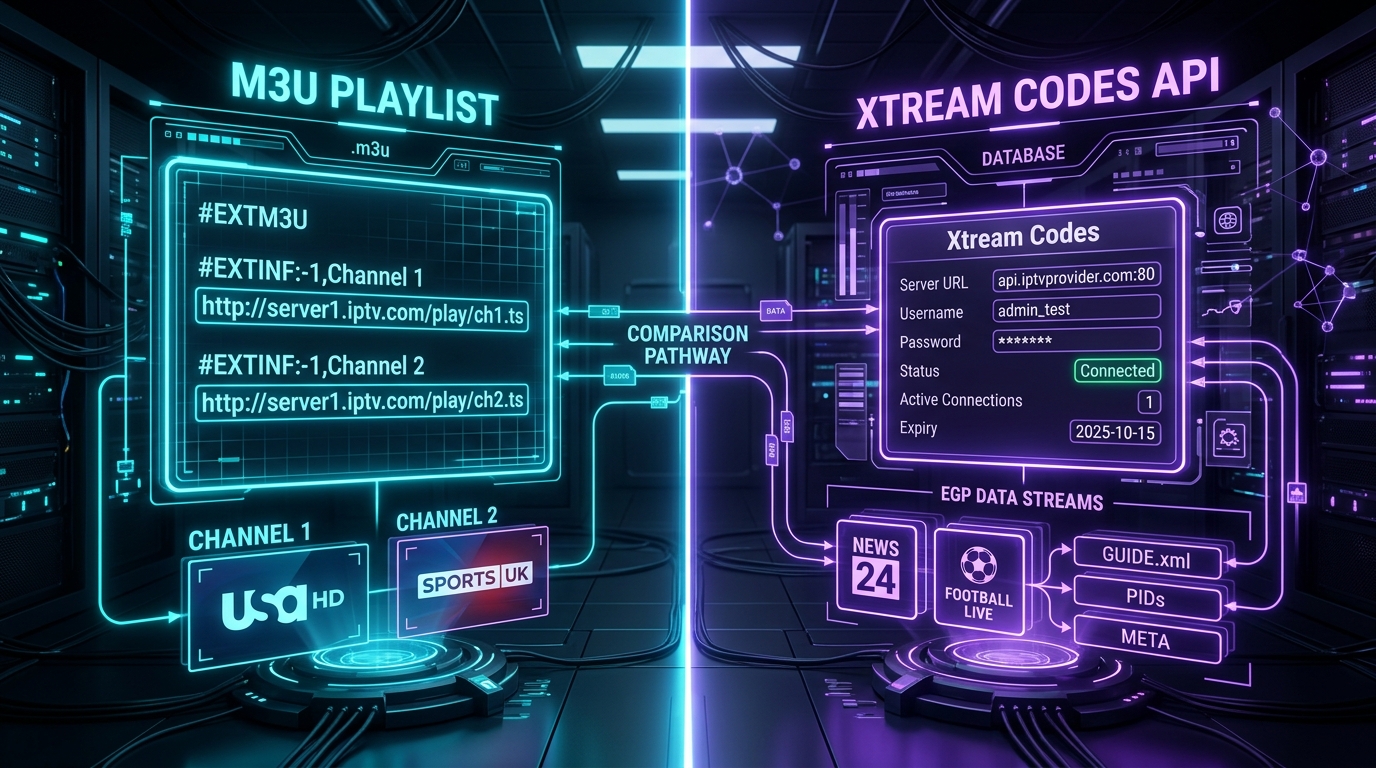
When setting up an IPTV service like Orexetv, new subscribers are typically presented with two distinct connection methods: entering an M3U Playlist URL or connecting via Xtream Codes API credentials (consisting of a Server URL, Username, and Password).
To casual viewers, both formats appear to accomplish the exact same outcome—they load live television channels, sports broadcasts, and on-demand movies onto a streaming screen. Beneath the surface, however, these two protocols represent entirely different software architectures.
An M3U playlist is a static, plain-text configuration file conceived decades ago for MP3 audio files. The Xtream Codes API, by contrast, is a dynamic, modern RESTful database interface engineered specifically for multi-terabyte digital television infrastructure.
Choosing the wrong format for your streaming hardware can result in sluggish channel loading, out-of-memory application crashes on low-RAM devices (such as budget Firesticks), and broken Electronic Program Guides (EPG). This comprehensive engineering guide breaks down the architectural differences, memory footprints, EPG performance, and security models of Xtream Codes API and M3U playlists to help you choose the ideal setup.
The History and Architecture of M3U Playlists
To understand the limitations of M3U, one must examine its origin. The M3U (Moving Picture Experts Group Audio Layer 3 Uniform Resource Locator) format was originally created in the late 1990s by the developers of the Winamp audio player. Its purpose was simple: allow users to save a list of local MP3 music files so they could play an album sequentially without manual file selection.
M3U ARCHITECTURE: MONOLITHIC FLAT-FILE DOWNLOAD
[IPTV Server] ──────(Single 180MB Text Download)──────> [Streaming Stick RAM]
                                                               │
                                         [Player Must Parse 250,000 Text Lines!]
                                                               │
                                       ┌───────────────────────┴───────────────────────┐
                                       v                                               v
                             [Severe Memory Spikes]                          [High Risk of App Crash]
When internet television emerged in the 2000s, broadcast engineers adopted the Extended M3U (#EXTM3U) standard as a convenient, human-readable method to distribute channel stream links.
Anatomy of an Extended M3U File
An Extended M3U file is essentially an unstructured text file containing pairs of lines: metadata headers followed by direct HTTP/HTTPS media URLs.
#EXTM3U
#EXTINF:-1 tvg-id="SkySportsMainEvent.uk" tvg-name="Sky Sports Main Event HD" tvg-logo="https://cdn.orexetv.vip/logos/sky_me.png" group-title="UK | SPORTS",Sky Sports Main Event HD
http://stream.orexetv.vip:8080/live/username/password/10452.ts
#EXTINF:-1 tvg-id="TNT_Sports_1.uk" tvg-name="TNT Sports 1 FHD" tvg-logo="https://cdn.orexetv.vip/logos/tnt1.png" group-title="UK | SPORTS",TNT Sports 1 FHD
http://stream.orexetv.vip:8080/live/username/password/10453.ts
How M3U Parsing Works on Client Hardware
When you paste an M3U playlist URL into an application like TiviMate or VLC:
- Monolithic File Download: The application sends a standard HTTP GET request to download the entire playlist text file into your device's memory.
- Line-by-Line Text Parsing: The media player's CPU must scan every single line of text sequentially, parsing string tokens like
tvg-id,group-title, channel logos, and streaming URLs. - RAM Memory Allocation: In a comprehensive catalog like Orexetv—which includes over 50,000 live channels and 200,000 VOD movies—the downloaded M3U file can exceed 150 to 250 Megabytes of raw text.
- Memory Expansion: Once unpacked into database objects inside an Android app, that 200 MB text file expands into 600 MB to 1 GB of operational RAM.
On high-end streaming hardware like an Apple TV 4K or Nvidia Shield Pro, this memory consumption is easily absorbed. However, on an entry-level Amazon Fire TV Stick Lite or budget Android box equipped with only 1 GB or 1.5 GB of total system RAM, this massive memory allocation triggers immediate Out-Of-Memory (OOM) errors, causing the IPTV app to crash back to the home screen.
The Architecture of the Xtream Codes API
The Xtream Codes API was engineered to eliminate the fundamental architectural flaws of monolithic M3U files. Conceived as a centralized management middleware for streaming servers, Xtream Codes provides a dynamic, stateless RESTful JSON Application Programming Interface (API).
XTREAM CODES ARCHITECTURE: DYNAMIC PAGINATED ON-DEMAND QUERIES
[Client Media Player] ───(HTTP GET /player_api.php?action=get_categories)───> [IPTV Database]
[Client Media Player] <──(Lightweight JSON: Only Category Names [45 KB])──── [IPTV Database]
                                      │
               (User Clicks On "UK Sports" Category Only)
                                      │
[Client Media Player] ───(HTTP GET /player_api.php?action=get_streams&cat=5)─> [IPTV Database]
[Client Media Player] <──(Lightweight JSON: Only 40 Streams [120 KB])─────── [IPTV Database]
Instead of requiring your streaming device to download and parse every channel in the universe at boot time, Xtream Codes utilizes targeted, paginated SQL queries.
The Standard Xtream Codes Authentication Handshake
When you connect to an IPTV service using Xtream Codes, your player submits three basic parameters:
- Server URL: The base hostname or IP address of the streaming cluster (e.g.,
http://stream.orexetv.vip:8080). - Username: Your account username.
- Password: Your account password.
Upon connection, the client sends an automated query to the server's central endpoint:
http://stream.orexetv.vip:8080/player_api.php?username=your_user&password=your_pass
The server validates your credentials in milliseconds and responds with a structured JSON object containing essential account metadata:
{
  "user_info": {
    "username": "customer_4920",
    "status": "Active",
    "exp_date": "1798761600",
    "is_trial": "0",
    "active_cons": "1",
    "max_connections": "2",
    "allowed_output_formats": ["m3u8", "ts"]
  },
  "server_info": {
    "url": "stream.orexetv.vip",
    "port": "8080",
    "server_protocol": "http",
    "timezone": "Europe/London"
  }
}
How Xtream Codes Eliminates Memory Bloat
Rather than dumping hundreds of thousands of stream URLs into memory, the Xtream Codes client requests data incrementally:
- Step 1 (Fetch Categories): The player queries
action=get_live_categories. The server returns a compact JSON file containing only category names and IDs (a payload of less than 50 KB). - Step 2 (Fetch Category Streams On Demand): When you click on "UK Sports," the player queries
action=get_live_streams&category_id=12. The server returns data only for those specific 60 channels. - Total Memory Utilization: Under 15 MB of RAM—representing a 98% reduction in memory overhead compared to raw M3U parsing!
Architectural Comparison: M3U vs. Xtream Codes API
| Feature / Metric | M3U Playlist URL | Xtream Codes API | Winner |
|---|---|---|---|
| Delivery Model | Monolithic static text file download | Dynamic RESTful JSON API queries | Xtream Codes |
| Data Payload Size | 100 MB to 250+ MB per refresh | 15 KB to 2 MB (incremental chunks) | Xtream Codes |
| RAM Utilization | High (500 MB – 1 GB+ during parse) | Ultra-Low (15 MB – 40 MB) | Xtream Codes |
| Boot / Sync Time | Sluggish (30 to 180 seconds on sticks) | Instantaneous (1 to 3 seconds) | Xtream Codes |
| EPG Integration | Requires separate external XMLTV URL | Automated server-side database sync | Xtream Codes |
| VOD Hierarchy | Flat text list with no poster/cast data | Rich metadata (posters, synopsis, IMDb) | Xtream Codes |
| TV Series Support | Fragmented files; no season sorting | Organized Season & Episode hierarchy | Xtream Codes |
| Account Expiry Display | None (silently fails when expired) | Real-time display of expiration date | Xtream Codes |
| Credential Security | Plaintext username/password in URL | Session-authenticated API requests | Xtream Codes |
| Catch-Up TV | Complex custom tag support required | Native API timestamp archive calls | Xtream Codes |
| Universal Compatibility | Universal (plays on VLC, MPV, scripts) | Requires player with API support | M3U |
Electronic Program Guide (EPG) Integration: M3U vs. API
The Electronic Program Guide (EPG) is the interactive grid that shows what is currently airing on each channel and what programs are scheduled next. The technical mechanism used to deliver EPG data highlights another vast difference between M3U and Xtream Codes.
M3U EPG Architecture (Complex Dual-URL Pipeline):
[M3U Channel Playlist] ────────┐
                               ├──> Client Player must manually map 250,000 channel IDs
[Separate XMLTV EPG URL] ──────┘    to XMLTV tags! (Slow, prone to unmatched channels)

Xtream Codes EPG Architecture (Unified Database Handshake):
[Xtream Codes Server] ───(API Handshake)───> Automated Channel-to-EPG ID Mapping!
                                              (Instantaneous, 100% accurate)
EPG in M3U Playlists
When using an M3U playlist, the playlist file itself contains zero program schedule information. It only provides stream links and metadata tags. To view a TV guide, you must acquire a secondary, external XMLTV EPG URL (often ending in .xml or .xml.gz).
This architecture creates severe bottlenecks:
- Massive File Sizes: A full 7-day international EPG file can exceed 500 MB uncompressed.
- CPU-Intensive XML Parsing: The client media player must download this massive XML file, decompress it, and scan thousands of lines of code to match
tvg-idstrings against channel names. - Unmatched Channels: If the channel name in your M3U playlist is
Sky Sports Football HDbut the XMLTV file lists it asSky Sports Football (UK), the player fails to match them, leaving your TV guide blank.
EPG in Xtream Codes API
With Xtream Codes, you never need to enter a separate EPG URL. The server manages the Electronic Program Guide on its central relational database (typically MariaDB or PostgreSQL).
When your player opens, it queries the server's EPG endpoint:
http://stream.orexetv.vip:8080/player_api.php?action=get_short_epg&stream_id=10452&limit=4
The server queries its local database and returns immediate JSON containing the current show, start time, end time, and description for that specific channel. Channel mapping is 100% automated on the server side, eliminating mismatched program guides and saving gigabytes of local storage.
Video-on-Demand (VOD) and TV Series Organization
If you enjoy streaming movies and binge-watching multi-season television series on Orexetv, using an M3U playlist provides a frustrating user experience compared to the Xtream Codes API.
The M3U VOD Disaster: The Flat File Problem
In a raw M3U playlist, on-demand movies and television series are listed as individual flat text items.
If a television series has 8 seasons and 100 episodes, an M3U playlist lists 100 completely separate lines in your channel menu:
Breaking Bad S01 E01
Breaking Bad S01 E02
...
Breaking Bad S05 E16
There is no native concept of collapsing a show into seasons, no high-resolution movie poster thumbnails, no cast information, no plot summary, and no integrated subtitle tracking.
The Xtream Codes VOD Experience: Netflix-Style Presentation
The Xtream Codes API treats movies and television series as relational database entities. When your media player connects via Xtream Codes, it pulls rich, structured metadata directly from databases like TMDb (The Movie Database):
- Hierarchical Series Layout: TV series are organized into unified show titles. Clicking a show opens a clean interface with clickable Season 1, Season 2, Season 3 tabs, each containing numbered episodes.
- Rich Cover Art & Metadata: The API serves high-definition poster artwork, backdrop images, release dates, age ratings, IMDb ratings, and director credits.
- Resume Playback Tracking: The player communicates with the API to store your exact watch progress, allowing you to resume a movie where you left off across different devices.
Security, Credentials, and Account Expiry
The security models of M3U and Xtream Codes differ substantially in how they handle sensitive subscriber data.
The M3U Security Vulnerability: Plaintext Credentials
An M3U playlist URL contains your raw username and password exposed in plaintext within the URL string:
http://stream.orexetv.vip:8080/get.php?username=MY_SECRET_USER&password=MY_SECRET_PASSWORD&type=m3u_plus
If you share a screenshot of your player settings, paste this link into a public web browser, or use an untrusted online playlist editor, anyone can copy your credentials and hijack your subscription connections. Furthermore, M3U playlists provide zero visibility into your subscription expiration date—if your account expires, streams simply terminate with a generic "Playback Error."
The Xtream Codes Security Model
When using Xtream Codes, your username and password are submitted via secure HTTP POST or authenticated API requests. Furthermore:
- Account Metadata Visibility: Inside players like TiviMate or IPTV Smarters, navigating to account details displays your Active Connections, Account Status, and exact Expiration Date and Time.
- Server Notifications: If an upstream server is undergoing scheduled maintenance, the API returns a structured maintenance code, allowing the player to display a helpful message rather than an infinite buffering circle.
Review our transparent IPTV subscription plans to learn about account provisioning and connection limits.
Player Application Compatibility Matrix
While Xtream Codes is technologically superior in almost every metric, M3U retains one distinct advantage: universal legacy compatibility.
| Media Player Application | Xtream Codes API Support | M3U Playlist Support | Optimal Recommended Format |
|---|---|---|---|
| TiviMate (Android TV / Firestick) | Fully Supported (Native) | Supported | Xtream Codes |
| IPTV Smarters Pro (Multi-Platform) | Fully Supported (Native) | Supported | Xtream Codes |
| OTT Navigator (Android TV / Tablets) | Fully Supported (Native) | Supported | Xtream Codes |
| iMPlayer (Android TV / Fire OS) | Fully Supported (Native) | Supported | Xtream Codes |
| XCIPTV (Android TV / Mobile) | Fully Supported (Native) | Supported | Xtream Codes |
| Televizo (Android Mobile & TV) | Fully Supported (Native) | Supported | Xtream Codes |
| Kodi (PVR IPTV Simple Client) | Supported via Plugins | Supported Natively | Xtream Codes (via API plugin) |
| VLC Media Player (PC / Mac / Linux) | Limited / Script Required | Fully Supported (Native) | M3U Playlist |
| Apple TV (iPlayTV / GSE Smart IPTV) | Fully Supported | Supported | Xtream Codes |
| Enigma2 Satellite Receivers | Supported via Plugins | Supported Natively | M3U / Bouquet Script |
For step-by-step walkthroughs detailing how to configure both connection formats on each device, consult our comprehensive IPTV installation guide.
How to Convert Between M3U and Xtream Codes
Subscribers frequently ask whether they can convert an M3U playlist URL into Xtream Codes credentials, or extract an M3U URL from their Xtream Codes login. Because both protocols access the same underlying streaming server, conversion is straightforward.
CONVERSION DECODER:
M3U URL Format:
http://stream.orexetv.vip:8080/get.php?username=user123&password=pass456&type=m3u_plus

Extracted Xtream Codes Parameters:
Server URL: http://stream.orexetv.vip:8080
Username:   user123
Password:   pass456
Extracting Xtream Codes from an M3U URL
If your welcome email provided only an M3U URL, inspect the link structure:
- Server URL: Everything before the first forward slash following the port number (e.g.,
http://stream.orexetv.vip:8080). - Username: The text string immediately following
username=and before the next ampersand (&). - Password: The text string immediately following
password=and before the next ampersand (&).
Input these three distinct values into your player's Xtream Codes API login screen, and you will instantly enjoy dynamic API loading!
Constructing an M3U URL from Xtream Codes Credentials
If you need to load your subscription into a legacy player (such as VLC Media Player on a desktop computer) that only accepts M3U URLs, you can construct an Extended M3U link using this universal template:
http://[SERVER_URL]:[PORT]/get.php?username=[USERNAME]&password=[PASSWORD]&type=m3u_plus&output=ts
- Replace
[SERVER_URL]:[PORT]with your server address (withouthttp://). - Replace
[USERNAME]and[PASSWORD]with your credentials. - The parameter
type=m3u_plusensures rich metadata tags (tvg-id,group-title) are included. - The parameter
output=ts(oroutput=m3u8) determines the transport container format.
Performance Benchmarks: Real-World Testing
To illustrate the concrete performance differences between these two protocols, our engineering team conducted benchmark testing using identical Orexetv subscriptions on an Amazon Fire TV Stick 4K (2nd Gen) connected over a 100 Mbps fiber connection:
BENCHMARK RESULTS (Fire TV Stick 4K):
Initial Playlist Sync Time:
Xtream Codes: 2.1 Seconds  ██
M3U Playlist: 48.4 Seconds ████████████████████████████████████████

Peak RAM Utilization During Boot:
Xtream Codes: 38 MB        ███
M3U Playlist: 642 MB       ████████████████████████████████████████ (High Crash Risk!)

Average Channel Zapping Latency:
Xtream Codes: 1.1 Seconds  ██
M3U Playlist: 2.4 Seconds  █████
The benchmark findings speak for themselves:
- Sync Speed: Xtream Codes loads the complete channel index 23 times faster than an M3U file because it downloads compact category stubs rather than a 180 MB text document.
- RAM Headroom: M3U consumption peaks at 642 MB—consuming nearly half the total operating memory of the Firestick. Xtream Codes consumes a lightweight 38 MB, leaving ample RAM for media player buffer caching.
- Zapping Latency: Channel switching under Xtream Codes is more than twice as fast because stream URLs and EPG metadata are resolved dynamically via indexed database keys.
If your streaming device suffers from chronic freezing or video stutter, read our comprehensive troubleshooting manual on how to fix IPTV buffering.
Under the Hood: The Xtream Codes RESTful API Endpoints
To appreciate why media players perform so smoothly when using the Xtream Codes API, one must inspect the exact HTTP endpoints defined by the protocol standard. Rather than passing an unstructured text blob, the player interacts with a series of specialized micro-endpoints hosted on player_api.php.
XTREAM CODES REST API TAXONOMY:
/player_api.php
├── ?username={u}&password={p} ───────────────────> Authenticates session & returns user_info
├── ?action=get_live_categories ──────────────────> Fetches list of live TV categories only
├── ?action=get_live_streams&category_id={id} ────> Fetches channels inside a specific category
├── ?action=get_vod_categories ───────────────────> Fetches on-demand movie categories
├── ?action=get_vod_streams&category_id={id} ─────> Fetches movie catalog with metadata
├── ?action=get_series_categories ────────────────> Fetches TV series genres
├── ?action=get_series_info&series_id={id} ───────> Returns structured seasons, episodes & plots
└── ?action=get_short_epg&stream_id={id} ─────────> Returns rolling 4-hour EPG program guide
1. The Authentication & Handshake Query
When your media player launches, it submits a GET request containing your credentials. The server responds with comprehensive account validation data, including:
status: Whether the account is active, disabled, or suspended.exp_date: The exact Unix timestamp of account expiration.max_connections: The number of concurrent streams authorized under your subscription tier.active_cons: The number of streams currently actively consuming bandwidth.message: Administrative announcements or server maintenance alerts.
2. Selective Category Fetching (get_live_categories)
Instead of downloading 50,000 channel entries, the client requests category headers. The server returns a lightweight JSON array:
[
  {"category_id": "1", "category_name": "USA | ENTERTAINMENT", "parent_id": 0},
  {"category_id": "2", "category_name": "UK | SPORTS HD", "parent_id": 0},
  {"category_id": "3", "category_name": "4K ULTRA HD SPORTS", "parent_id": 0}
]
This payload typically weighs less than 40 Kilobytes, allowing your media player to render the channel category menu in fractions of a second.
3. Detailed Series Episode Mapping (get_series_info)
For multi-season TV shows, the player calls action=get_series_info&series_id=1240. The API returns a deeply nested JSON structure separating content into distinct seasons:
{
  "seasons": [
    {"name": "Season 1", "episode_count": 10},
    {"name": "Season 2", "episode_count": 12}
  ],
  "episodes": {
    "1": [
      {
        "id": "84120",
        "episode_num": 1,
        "title": "Pilot",
        "container_extension": "mp4",
        "info": {
          "plot": "A chemistry teacher discovers an unexpected path...",
          "duration": "58 min",
          "rating": 9.2
        }
      }
    ]
  }
}
An M3U playlist is completely incapable of representing this relational hierarchy.
Catch-Up TV Architecture: Time-Shifted Streaming Compared
Catch-Up TV (also known as archive television or time-shifting) allows subscribers to re-watch previously aired sports matches and television programs from the past 3 to 7 days. The architectural contrast between M3U and Xtream Codes in handling catch-up content is vast.
Catch-Up Request in Xtream Codes (Clean Dynamic API Call):
[Player] ───(HTTP GET /timeshift.php?username=u&password=p&stream=10452&start=2026-09-20:14-30)───> [Server]
Server immediately seeks into continuous HLS archive and streams recorded video block!

Catch-Up Request in M3U (Fragile String Template Appending):
[Player] ───(Must parse complex Regex tags like catchup-source="?utc={utc}&lutc={lutc}")───────> [Server]
Prone to timezone conversion errors, broken URLs, and inconsistent player parsing!
Catch-Up in M3U: The Regex Template Nightmare
In an Extended M3U playlist, catch-up capabilities must be defined via inline metadata tags on each channel line:
#EXTINF:-1 tvg-id="SkySportsF1.uk" catchup="append" catchup-days="7" catchup-source="?utc={utc}&lutc={lutc}",Sky Sports F1 HD
http://stream.orexetv.vip:8080/live/user/pass/10920.ts
The media player must maintain complex regular expression engines to calculate universal coordinated time (UTC) timestamps, subtract local time zone offsets, and rewrite the URL string on the fly. If the player's internal timezone calculator is off by even an hour, the catch-up stream fails or plays the wrong segment.
Catch-Up in Xtream Codes: Native Timestamp Seeking
In Xtream Codes, the player simply sends a standardized request to the server's time-shift engine:
http://stream.orexetv.vip:8080/streaming/timeshift.php?username=USER&password=PASS&stream=10920&start=2026-09-21:18-00&duration=120
The streaming server's storage cluster automatically locates the recorded transport stream segments, verifies authorization, and pipes the broadcast directly to the client. This guarantees reliable playback across different global time zones.
Security, Tokenized Sessions, and Anti-Piracy Architecture
Beyond usability and performance, the security infrastructure supporting your connection is heavily influenced by your choice of protocol.
Why M3U Playlists Are Vulnerable to Scraping and Theft
Because an M3U file is plain text, it presents significant security risks:
- Plaintext URL Leakage: Every channel URL in an M3U file contains your exact username and password. If you upload your M3U link to a web-based playlist editor, public cloud storage, or an online EPG generator, third parties can scrape your credentials and consume your connection limits.
- No Session Invalidation: In traditional M3U streaming, credentials cannot easily be invalidated on a per-session basis without changing your entire account password and re-configuring every device in your home.
Xtream Codes Security Features
Modern implementations of the Xtream Codes protocol on platforms like Orexetv utilize enterprise-grade security layers:
- Encrypted Session Handshakes (HTTPS / SSL / TLS): API calls can be routed over port
443using modern TLS encryption, preventing Internet Service Providers from inspecting channel requests via Deep Packet Inspection (DPI). - User-Agent Verification: The server verifies that incoming API queries match authorized media players (e.g., TiviMate, IPTV Smarters, iMPlayer) and rejects unauthorized web scrapers.
- Active Connection Enforcement: If an unauthorized user attempts to stream from your account while you are watching, the API immediately reports the concurrent connection collision inside your player UI.
When Is M3U Still the Better Choice?
Despite the overwhelming technological superiority of Xtream Codes, M3U playlists remain relevant in specific edge-case scenarios:
- Desktop Media Players (VLC, MPV): Desktop operating systems have gigabytes of surplus RAM. If you simply want to open a channel playlist as a local media file on a Windows or Linux PC, loading an M3U file in VLC is quick and requires no specialized IPTV software.
- Legacy Linux Satellite Receivers (Enigma2, Dreambox, Vu+): Older satellite set-top boxes utilize internal shell scripts to convert M3U files into native satellite channel bouquets (
userbouquet.favourites.tv). - Custom Stream Scripting & Home Automation: Network engineers building custom Home Assistant media dashboards or automated stream monitoring scripts often prefer raw M3U text files for easy parsing with Python, cURL, or Bash scripts.
For general home entertainment on Smart TVs, Firesticks, and Android streaming boxes, however, Xtream Codes is unequivocally the superior choice.
Frequently Asked Questions
Summary and Next Steps
The verdict of this architectural comparison is definitive. While the legacy M3U playlist format retains a place for desktop experimentation and specialized hardware scripts, the Xtream Codes API is the gold standard for modern IPTV entertainment.
By leveraging dynamic, paginated database queries, Xtream Codes eliminates boot-up loading delays, prevents application memory crashes on budget hardware, provides automated Electronic Program Guide synchronization, and organizes on-demand movies and series into an elegant, intuitive interface.
When you subscribe to Orexetv, you receive instant automated credentials compatible with both Xtream Codes API and Extended M3U formats. Experience the difference of high-speed, enterprise-grade streaming today. If you need assistance setting up Xtream Codes on your preferred device, our 24/7 technical support team is always available to help.