Best IPTV Devices for 2026: Hardware Benchmark & Buying Guide
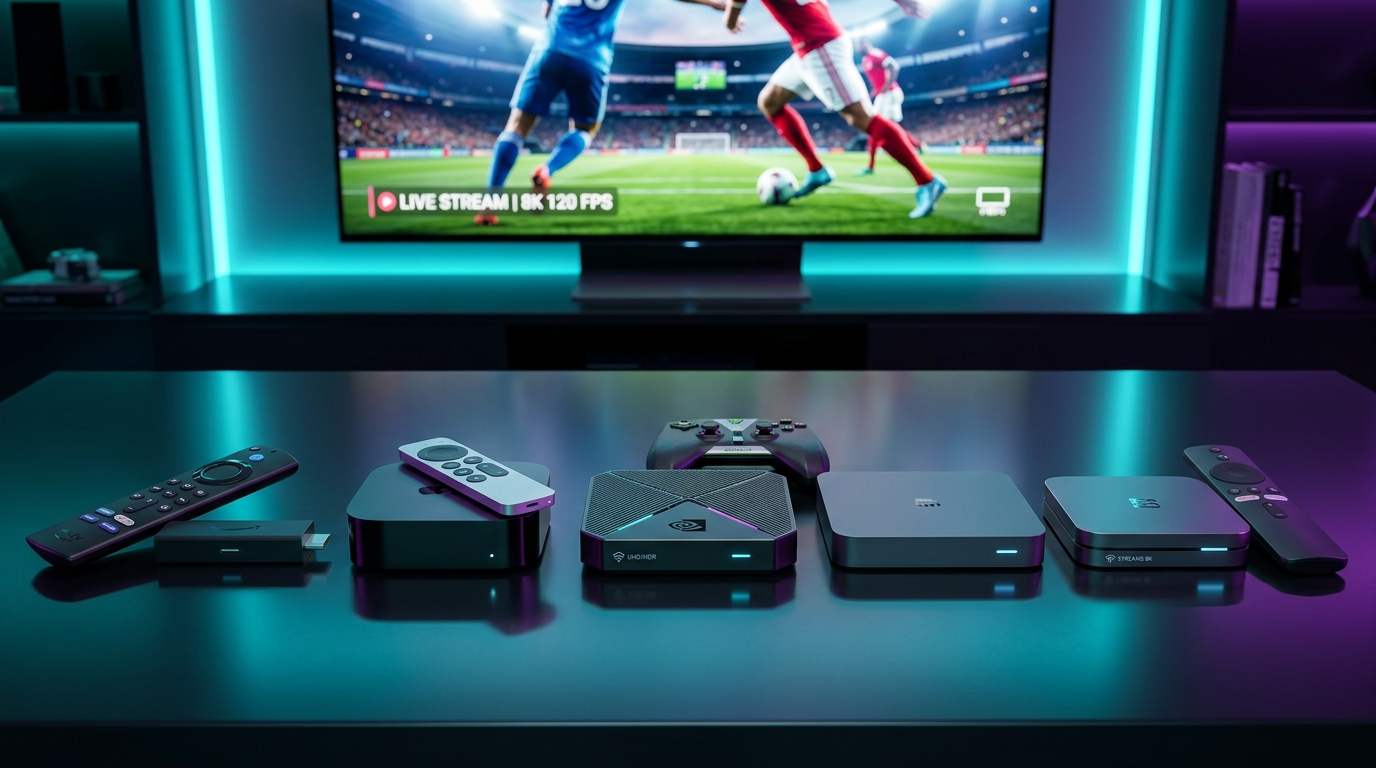
When viewers experience stream stuttering, sluggish channel zapping, or video buffering, the natural instinct is to blame their internet connection or their television provider. However, in modern digital television, your physical streaming device is responsible for half of the playback equation.
An IPTV stream on Orexetv is not a passive broadcast signal. It is a compressed, high-bitrate digital data stream that must be received over a network interface, unpacked in system memory (RAM), decoded in real time by a graphics processor (VPU), synchronized with an independent audio track, and output over HDMI to your display panel.
Underpowered, budget streaming hardware with weak processors, inadequate cooling, or limited RAM will struggle to maintain 4K 60FPS feeds—even on a 1-Gigabit fiber internet connection.
Whether you are looking for an affordable plug-and-play streaming stick for a bedroom TV or an enterprise-grade home theater powerhouse with hardware AI upscaling, this comprehensive 2026 benchmark guide analyzes the best IPTV devices on the market, comparing silicon architectures, codec decoders, network interfaces, and real-world performance.
What Makes an Outstanding IPTV Device? The 5 Hardware Pillars
Before comparing specific models, it is essential to understand the technical components that dictate IPTV streaming performance:
                         THE 5 HARDWARE PILLARS FOR IPTV
                                       ▲
                                      / \
                                     /   \
            [SYSTEM-ON-CHIP (SoC)] ◄─     ─► [OPERATIONAL RAM]
            (Fast Clock Speeds &             (Minimum 2 GB;
             Multi-Core Architecture)         3–4 GB for 4K Buffering)
                                    \     /
                                     \   /
                                      \ /
                                       ▼
                     [HARDWARE VIDEO DECODERS (AV1/HEVC)]
                                       │
                      ┌────────────────┴────────────────┐
                      v                                 v
          [NETWORK THROUGHPUT]                 [THERMAL MANAGEMENT]
          (Gigabit LAN & Wi-Fi 6E)             (Passive/Active Cooling)
1. System-on-Chip (SoC) and Processor Architecture
The CPU handles application logic, channel list navigation, and Electronic Program Guide (EPG) database parsing. Modern multi-core processors utilizing ARM Cortex-A73 or Cortex-A55 cores process large playlists effortlessly, whereas aging Cortex-A53 cores experience noticeable UI lag and stutter when scrolling through thousands of channels on Orexetv channels.
2. Operational System Memory (RAM)
RAM is the physical workspace where your IPTV player stores active video buffers and caches program guide data.
- 1 GB RAM (Underpowered): Bare minimum for 720p/1080p. Prone to Out-Of-Memory (OOM) application crashes when parsing large channel catalogs.
- 2 GB RAM (Baseline): Smooth 1080p and standard 4K playback. Suitable for dedicated streaming sticks like the Fire TV Stick 4K Max.
- 3 GB to 4 GB RAM (Enthusiast Grade): Zero memory bottlenecks. Allows massive player buffers (10+ seconds), instant channel switching, and seamless background multitasking.
3. Dedicated Hardware Video Decoders
Smooth playback requires hardware silicon capable of natively decoding modern video compression standards without taxing the CPU:
- H.264 (AVC): Universal standard.
- H.265 (HEVC Main 10): Mandatory for 4K 60FPS sports and HDR10 content.
- AV1: The next-generation open codec offering superior compression efficiency. Hardware AV1 decoding ensures your device remains future-proof for upcoming broadcast standards.
4. Network Interface Architecture
A streaming device cannot render frames it has not received. Devices featuring Gigabit Ethernet (1,000 Mbps) or Wi-Fi 6 / 6E deliver rock-solid, low-jitter throughput that prevents packet loss during high-bitrate 4K sports streams.
5. Thermal Dissipation and Cooling
Compact HDMI sticks plugged directly behind warm television panels generate significant heat during continuous 4K decoding. Devices with robust heat sinks or active fan cooling prevent thermal throttling—the automated reduction of CPU clock speeds that causes video stutter after 30 to 45 minutes of continuous viewing.
Tier 1: The Enthusiast Flagships (Maximum Performance)
For dedicated home theater enthusiasts who demand flawless 4K 60FPS live sports, instant channel zapping, and premium audio passthrough, Tier 1 devices represent the pinnacle of streaming hardware.
ENTHUSIAST TIER HARDWARE COMPARISON:
Nvidia Shield TV Pro: [Tegra X1+ Chip] ──> [AI 4K Upscaling] ──> [Gigabit LAN] ──> King of Android TV
Apple TV 4K (3rd Gen):[A15 Bionic Chip]──> [Raw Computing Beast]──> [Gigabit LAN] ──> Most Fluid UI
Formuler Z11 Pro Max: [Realtek RTD1319]──> [MYTVOnline 3 IPTV]──> [Gigabit LAN] ──> Dedicated IPTV Box
1. Nvidia Shield TV Pro (The Undisputed King of Android TV)
Despite its initial release architecture, the Nvidia Shield TV Pro remains the gold standard against which all other Android streaming devices are measured. Powered by Nvidia's custom Tegra X1+ processor with a 256-core GPU, the Shield Pro is an industrial-strength streaming box designed for heavy daily use.
- Processor: Nvidia Tegra X1+ with 256-core Nvidia GPU
- RAM / Storage: 3 GB RAM | 16 GB eMMC Storage (Expandable via dual USB 3.0 ports)
- Networking: Gigabit Ethernet (1,000 Mbps) | Dual-Band Wi-Fi 5 (802.11ac)
- Video & Audio Support: 4K 60FPS, Dolby Vision, HDR10, Dolby Atmos, DTS-X, TrueHD Passthrough
- Operating System: Android TV (Official Google Play Store access)
Why It Excels for IPTV
- Hardware AI Upscaling: The Shield Pro features proprietary machine-learning algorithms that analyze 720p and 1080p broadcast feeds in real time, sharpening edges, resolving facial details, and upscaling standard broadcasts to near-native 4K on modern displays.
- Flawless TiviMate Performance: When paired with TiviMate, the Shield Pro navigates tens of thousands of channels with instantaneous responsiveness. Multi-view streaming (watching 4 sports channels simultaneously on a split-screen) runs without a single dropped frame.
- Full Lossless Audio Passthrough: Supports raw bitstream passthrough for Dolby Atmos, DTS-HD Master Audio, and TrueHD to external A/V receivers.
Limitations
- Wi-Fi is limited to Wi-Fi 5 (802.11ac), making a hardwired Gigabit Ethernet connection strongly recommended.
- Lacks native hardware decoding for the newer AV1 codec.
- Premium price point (~$199).
2. Apple TV 4K (3rd Generation - Wi-Fi + Ethernet Model)
If you appreciate fluid user interfaces, minimalist hardware design, and raw processing power, the Apple TV 4K (3rd Gen) is an astonishing piece of hardware. Powered by the Apple A15 Bionic processor (the same silicon found in the iPhone 13 and 14), its CPU and GPU benchmarks dwarf every other streaming device on the market.
- Processor: Apple A15 Bionic (6-Core CPU with 5-Core GPU)
- RAM / Storage: 4 GB LPDDR4X RAM | 128 GB NVMe High-Speed Storage
- Networking: Gigabit Ethernet (1,000 Mbps) | Wi-Fi 6 (802.11ax) with MIMO | Thread Mesh
- Video & Audio Support: 4K 60FPS HDR10+, Dolby Vision, Dolby Atmos
- Operating System: tvOS
Why It Excels for IPTV
- Unrivaled Processing Speed: With 4 GB of high-speed RAM and NVMe flash storage, channel searching, EPG rendering, and UI animations are completely instantaneous.
- Match Content & Frame Rate: tvOS features the industry's most reliable native Auto Frame Rate (AFR) engine, switching display panel refresh rates between 24Hz, 50Hz, and 60Hz seamlessly without audio desync.
- Zero Thermal Throttling: The custom fanless cooling architecture maintains low internal temperatures even during 8-hour continuous 4K streaming sessions.
Limitations
- The Apple App Store does not feature TiviMate. However, premium alternative players like iPlayTV, Smarters Player Pro, and Snappier IPTV deliver exceptional performance.
- Does not passthrough raw lossless DTS-HD MA bitstreams (converts to uncompressed multichannel LPCM).
3. Formuler Z11 Pro Max (The Dedicated IPTV Specialist)
While the Nvidia Shield and Apple TV are general-purpose streaming boxes that run third-party media apps, the Formuler Z11 Pro Max was engineered from the ground up specifically for IPTV consumption.
- Processor: Realtek RTD1319C Quad-Core ARM Cortex-A55
- RAM / Storage: 4 GB DDR4 RAM | 32 GB eMMC Storage
- Networking: Gigabit Ethernet (1,000 Mbps) | Dual-Band Wi-Fi 6 (AX)
- Video & Audio Support: 4K 60FPS, AV1, H.265 Main 10, HDR10+
- Operating System: Android 11 with proprietary MYTVOnline 3 middleware
Why It Excels for IPTV
- MYTVOnline 3 (MOL3): Formuler's exclusive built-in streaming interface is widely considered one of the finest IPTV platforms in existence. It integrates multi-playlist grouping, automated EPG scheduling, universal search across multiple subscriptions, and background recording seamlessly.
- Dedicated Remote Control (GTV-BT1): Ships with an ergonomic, full-sized Bluetooth remote featuring dedicated channel up/down rockers, number pads, EPG hotkeys, and programmable macro buttons.
- Native Hardware AV1 Decoding: Fully supports next-generation AV1 video feeds.
Limitations
- Runs standard Android rather than official "Android TV" OS, meaning mainstream streaming apps (Netflix, Prime Video) are restricted to low-resolution playback. Best utilized as a dedicated, single-purpose IPTV receiver.
Tier 2: The Mainstream Value Champions (High Performance, Modest Price)
For most households, spending $150 to $200 on a single streaming device is unnecessary. Tier 2 devices deliver exceptional 4K 60FPS performance, modern codec support, and full app ecosystem access for under $60.
MAINSTREAM VALUE HARDWARE BENCHMARKS:
Fire TV Stick 4K Max: [Wi-Fi 6E] ──> [2GB RAM] ──> [AV1 Decode] ──> Best Value HDMI Stick (~$59)
Onn 4K Pro Box:       [3GB RAM] ──> [32GB ROM] ──> [Ethernet Port]──> Best Budget Box (~$50)
Chromecast 4K:        [Google TV]─> [2GB RAM] ──> [Voice Remote] ──> Cleanest Interface (~$49)
4. Amazon Fire TV Stick 4K Max (2nd Generation - 2024+)
The Amazon Fire TV Stick 4K Max (2nd Gen) is arguably the most popular and versatile streaming device in the world. It provides flagship-tier networking and decoding silicon at an accessible consumer price point.
- Processor: Mediatek MT8696T Quad-Core 2.0 GHz
- RAM / Storage: 2 GB LPDDR4 | 16 GB Storage (Doubled from 1st Gen)
- Networking: Wi-Fi 6E (Tri-Band 2.4, 5, and 6 GHz)
- Video & Audio Support: 4K 60FPS, Dolby Vision, HDR10+, AV1, Dolby Atmos
- Operating System: Fire OS (Android-based)
Why It Excels for IPTV
- Wi-Fi 6E Support: If you own a modern Wi-Fi 6E router, the 4K Max can connect across the pristine, uncongested 6 GHz wireless band, delivering wired-like stability without physical cables.
- Full AV1 Hardware Decoding: Smoothly renders modern high-efficiency compression feeds.
- Vast Ecosystem Compatibility: Runs TiviMate, IPTV Smarters, and XCIPTV natively via simple sideloading with the Downloader application.
Optimization Tip
Because HDMI sticks sit directly against the back of warm TV panels, always use the included flexible HDMI extender cable and power the stick via the included wall brick to prevent thermal throttling during long sports viewing sessions.
5. Onn 4K Pro Streaming Box (Google TV)
Sold primarily through major retail channels, the Onn 4K Pro has taken the streaming enthusiast community by storm by offering hardware specifications that rival $100+ devices for roughly $50.
- Processor: Amlogic S905X4 Quad-Core Cortex-A55
- RAM / Storage: 3 GB RAM | 32 GB Internal Storage
- Networking: 10/100 Mbps Ethernet Port | Wi-Fi 6 (802.11ax) | USB 3.0 Port
- Video & Audio Support: 4K 60FPS, Dolby Vision, HDR10+, AV1, Dolby Atmos
- Operating System: Official Google TV (Android 12)
Why It Excels for IPTV
- 3 GB RAM at Budget Pricing: Having 3 full gigabytes of RAM prevents out-of-memory crashes when parsing large channel playlists from Orexetv.
- Abundant Storage: 32 GB of storage allows you to install dozens of applications and cache weeks of EPG program guide data without warning prompts.
- Built-in USB 3.0 & Ethernet: Direct connection for external storage drives and wired networking without needing third-party OTG splitters.
6. Chromecast with Google TV (4K)
Google's flagship dongle delivers a pure, unadulterated Google TV interface with seamless integration into the Google Home ecosystem.
- Processor: Amlogic S905X3 Quad-Core
- RAM / Storage: 2 GB RAM | 8 GB Storage
- Networking: Dual-Band Wi-Fi 5 | Optional Ethernet power adapter
- Operating System: Official Google TV
Why It Excels for IPTV
- Clean Interface: Free of the heavy Amazon advertising and sponsored banners found on Fire OS.
- Play Store Native: Download popular players directly from the Google Play Store without sideloading.
- Limitations: Limited internal storage (8 GB, with only ~4.4 GB user-accessible) means you must keep installed apps to a minimum to avoid storage alerts.
Tier 3: Native Smart TV Operating Systems (Samsung, LG, Sony)
Many viewers prefer not to purchase an external streaming stick, choosing instead to stream directly through their television's built-in operating system.
SMART TV BUILT-IN HARDWARE REALITY:
[Smart TV Chassis] ──> Prioritizes Image Processing & TV OS Over Third-Party Apps
                   ──> Hardware: Typically 1 GB to 1.5 GB RAM shared across system
                   ──> Ethernet Port: Almost always capped at 100 Mbps!
1. Samsung Smart TVs (Tizen OS)
- Strengths: Gorgeous high-brightness panels, intuitive remote control, popular players available (such as IPTV Smarters Pro, Smart IPTV, and IBO Player).
- Limitations: Tizen is a closed, proprietary operating system based on Linux. You cannot install Android APKs or run industry-leading players like TiviMate. TV memory management is aggressive, occasionally terminating background media apps during commercial breaks.
2. LG Smart TVs (webOS)
- Strengths: Legendary OLED picture quality, excellent "Magic Remote" that functions like an air mouse for rapid on-screen typing and channel selection.
- Limitations: Similar to Tizen, webOS is proprietary and does not support Android applications. Third-party media players are limited to the LG Content Store catalog.
3. Sony, TCL, and Hisense (Google TV Built-in)
- Strengths: Because these televisions run native Android TV / Google TV, you can install genuine Android IPTV players directly from the Play Store or sideload APKs.
- Limitations: Built-in television processors are notoriously slower than external streaming sticks like the Fire TV 4K Max or Apple TV. Over 2 to 3 years of software updates, built-in Smart TV interfaces inevitably become sluggish.
The Professional Recommendation:
For the best long-term experience, use an external streaming stick or dedicated set-top box rather than relying on your television's built-in apps. External devices receive more frequent software updates, feature superior Wi-Fi antennas, and can be upgraded affordably every few years without replacing your multi-thousand-dollar TV panel.
Follow our step-by-step IPTV installation guide to set up players on both Smart TVs and external streaming devices.
Comprehensive Hardware Benchmark Comparison Matrix
| Device Model | CPU / SoC Architecture | RAM | Internal Storage | Ethernet Port | Wi-Fi Standard | AV1 Codec | Recommended Player | MSRP Price |
|---|---|---|---|---|---|---|---|---|
| Nvidia Shield TV Pro | Nvidia Tegra X1+ (256-core GPU) | 3 GB | 16 GB eMMC | 1,000M (Gigabit) | Wi-Fi 5 (ac) | No | TiviMate | ~$199 |
| Apple TV 4K (3rd Gen) | Apple A15 Bionic (6-Core) | 4 GB | 128 GB NVMe | 1,000M (Gigabit) | Wi-Fi 6 (ax) | No | iPlayTV / Smarters | ~$149 |
| Formuler Z11 Pro Max | Realtek RTD1319C Quad-Core | 4 GB | 32 GB eMMC | 1,000M (Gigabit) | Wi-Fi 6 (ax) | Yes | MYTVOnline 3 | ~$189 |
| Fire TV Stick 4K Max | Mediatek MT8696T Quad 2.0GHz | 2 GB | 16 GB eMMC | Optional (OTG) | Wi-Fi 6E (Tri) | Yes | TiviMate / Smarters | ~$59 |
| Onn 4K Pro Box | Amlogic S905X4 Quad-Core | 3 GB | 32 GB eMMC | 100M (Fast Eth) | Wi-Fi 6 (ax) | Yes | TiviMate | ~$50 |
| Fire TV Cube (3rd Gen) | Octa-Core (4x 2.2GHz + 4x 2.0GHz) | 2 GB | 16 GB eMMC | 100M (Fast Eth) | Wi-Fi 6E (Tri) | Yes | TiviMate | ~$139 |
| Chromecast with Google TV | Amlogic S905X3 Quad-Core | 2 GB | 8 GB eMMC | Optional (Hub) | Wi-Fi 5 (ac) | No | TiviMate / OTT Nav | ~$49 |
Codec Support Deep Dive: Why Hardware AV1 Decoding Matters
Video compression algorithms dictate how much bandwidth an IPTV stream requires to maintain high visual clarity.
BANDWIDTH EFFICIENCY ACROSS VIDEO CODECS (Same 4K Visual Quality):
H.264 (Legacy): ═══════════════════════════════════════════════> Requires 32 Mbps
H.265 (HEVC):   ═════════════════════════════> Requires 18 Mbps (44% Bandwidth Savings!)
AV1 (Modern):   ═══════════════════════> Requires 13 Mbps (60% Bandwidth Savings!)
- H.264 (AVC): Supported natively by 100% of consumer silicon. However, transmitting 4K at 60 FPS over H.264 requires massive bitrates (30+ Mbps), making it inefficient for live internet broadcasting.
- H.265 (HEVC): Supported by all modern devices (Shield, Apple TV, Firestick 4K). It cuts bandwidth requirements in half while preserving 10-bit HDR color depth.
- AV1 (AOMedia Video 1): The newest royalty-free codec backed by Google, Netflix, Amazon, and Apple. It provides an additional 20% to 30% compression efficiency over HEVC. Devices equipped with hardware AV1 decoders (such as the Fire TV Stick 4K Max 2nd Gen, Onn 4K Pro, and Formuler Z11 Pro Max) can stream pristine 4K video over modest 15 Mbps connections with zero CPU strain.
If you stream on bandwidth-constrained connections, review our technical bandwidth guide on internet speed for IPTV.
Silicon Architecture Teardown: Mobile SoCs vs. Dedicated Television VPUs
To appreciate the vast performance gap between entry-level streaming dongles and flagship set-top boxes, one must inspect the physical silicon powering these devices.
SYSTEM-ON-CHIP (SoC) COMPONENT LAYOUT:
┌────────────────────────────────────────────────────────────────────────┐
│ CPU (General Purpose Compute)  │ GPU (User Interface & 3D Rendering)   │
│ - Handles App Logic & OS Tasks │ - Smooth 60 FPS Menu Animations       │
├────────────────────────────────┼───────────────────────────────────────┤
│ VPU (Video Processing Unit)    │ NPU / AI Engine (Machine Learning)    │
│ - Dedicated Hardware Video     │ - Real-time Edge Upscaling            │
│   Decompression (HEVC/AV1)     │ - Texture & Detail Reconstruction     │
└────────────────────────────────────────────────────────────────────────┘
The Critical Role of the Dedicated VPU
When an IPTV player renders a high-bitrate 4K stream, the device's CPU should be doing virtually no heavy lifting. A well-engineered streaming chip features a specialized Video Processing Unit (VPU)—a dedicated hardware block hardwired with physical silicon circuits designed exclusively to decode video algorithms like H.265 (HEVC) and AV1.
In budget generic TV boxes running low-end chips, the VPU often lacks support for 10-bit color profiles (HEVC Main 10) or high-framerate 4K at 60 FPS. When such a box encounters a high-bitrate sports feed from Orexetv, the VPU fails, forcing the device to fall back onto software CPU decoding. Because low-power mobile CPUs lack the mathematical throughput to decompress eight million pixels sixty times per second in software, the processor immediately spikes to 100% load, the device overheats, and video degrades into unwatchable stutter.
Thermal Envelopes: 5W Dongles vs. 15W Set-Top Boxes
- Compact HDMI Dongles (Firestick, Chromecast): Operate within a tiny 3 to 5 Watt power envelope. They rely on passive cooling with miniature aluminum heat spreaders. Under continuous 4K decoding, heat builds up rapidly against the back of your television, triggering thermal throttling after 30 to 45 minutes.
- Dedicated Set-Top Boxes (Nvidia Shield Pro, Apple TV 4K, Formuler Z11): Operate within a robust 15 to 25 Watt power envelope. They feature large internal aluminum heatsinks and, in the case of the Shield Pro, an ultra-quiet internal fan. These devices can decode continuous high-bitrate 4K streams 24 hours a day, 365 days a year, with zero thermal degradation.
Operating System Benchmark: Fire OS vs. Google TV vs. tvOS
The underlying operating system managing system resources directly dictates how much RAM remains available for your IPTV player's video buffer.
IDLE RAM CONSUMPTION AFTER CLEAN BOOT:
Apple tvOS (Apple TV 4K):       350 MB Used  │ [3,650 MB Available for Buffer!] (BEST)
Nvidia Shield (Android TV 11):  750 MB Used  │ [2,250 MB Available for Buffer!]
Google TV (Onn 4K Pro):         850 MB Used  │ [2,150 MB Available for Buffer!]
Fire OS 7/8 (Firestick 4K Max): 1,250 MB Used│ [750 MB Available for Buffer!]   (HEAVY)
1. Apple tvOS: The Lightweight Performance Champion
Apple's tvOS is built on the Darwin Unix foundation. It features strict memory management policies that prevent background applications from hoarding system memory. When an IPTV player launches, tvOS prioritizes the active video pipeline, providing virtually unthrottled access to system RAM and the high-speed NVMe flash storage controller.
2. Android TV vs. Google TV
- Android TV (Nvidia Shield Pro): A clean, developer-friendly interface focused on media discovery with minimal background bloatware. Memory management is predictable, and sideloading applications is straightforward.
- Google TV (Chromecast, Onn 4K Pro): A modern, content-first user interface layered on top of Android TV. While visually appealing, Google TV runs continuous background recommendation algorithms and account analytics that consume roughly 100 to 150 MB more idle RAM than standard Android TV.
3. Amazon Fire OS: High Feature Density, Heavy Overhead
Fire OS is Amazon's proprietary fork of Android. While highly functional, Fire OS features an aggressive home screen filled with auto-playing video trailers, sponsored banners, and diagnostic telemetry services. On devices with only 2 GB of RAM, background Amazon services can consume over 60% of total memory, leaving less than 800 MB for your active IPTV stream buffer. Disabling autoplay trailers and diagnostic telemetry in Fire OS settings is essential to maximize available memory.
Hardware Modifications: The Gigabit USB Adapter Upgrade
If you stream using a device that lacks a built-in Gigabit Ethernet port (such as the Chromecast with Google TV, Onn 4K Pro, or modern Sony/TCL Google TVs), you can easily upgrade your wired network throughput from 85 Mbps to over 350 Mbps using an inexpensive hardware modification.
HARDWARE UPGRADE TOPOLOGY:
[Google TV Box / Smart TV]
       │ (USB 3.0 Port / OTG Host Port)
       v
[Realtek RTL8153 USB Gigabit Adapter]
       │ (Standard RJ45 Cat6 Cable)
       v
[Gigabit Router Port (1,000 Mbps)] ───> Instant 4x Throughput Boost & Zero Jitter!
Step-by-Step Installation Guide
- Acquire a Compatible Adapter: Purchase an inexpensive USB 3.0 to Gigabit Ethernet adapter powered by the Realtek RTL8153 or ASIX AX88179 chipset. These chipsets feature plug-and-play driver support natively compiled into the Android kernel.
- For Chromecast / Firestick (OTG Cable Required): Connect a standard micro-USB or USB-C On-The-Go (OTG) Y-cable between your streaming stick and its power brick. Plug the USB Gigabit adapter into the female USB-A port on the OTG cable.
- For Smart TVs (Direct USB Connection): Plug the adapter directly into the high-speed USB port on your television (typically colored blue or labeled USB 3.0 / 5V 1A).
- Connect Ethernet: Plug your Cat6 Ethernet cable into the adapter.
- Disable Wi-Fi: Open your device's network settings and turn off Wi-Fi. The operating system will automatically detect the wired connection as an active Ethernet interface, delivering lightning-fast single-threaded throughput for flawless 4K sports.
Review our technical network guide on how to improve IPTV streaming quality for further steps on tuning router parameters.
The Remote Control Factor: Ergonomics and Channel Navigation
One of the most overlooked aspects of choosing an IPTV streaming box is the physical remote control. Streaming live television is fundamentally different from watching Netflix: you actively flip through channel guides, input numerical channel numbers, and manage multi-audio tracks.
REMOTE CONTROL COMPARISON:
Minimalist Web Remote (Apple TV / Chromecast):
- 6 total buttons
- No numerical keypad
- Requires 8 clicks to jump from Channel 10 to Channel 150

Dedicated IPTV Remote (Formuler GTV-BT1 / Specialized Remotes):
- Dedicated EPG, Group, and Resolution buttons
- 0–9 Numerical keypad for direct channel entry
- Programmable macro hotkeys for favorite sports channels
If you watch live television daily, choosing a device with a full-featured remote—or pairing a third-party Bluetooth remote featuring a numerical keypad with your Firestick or Android box—enhances daily usability significantly.
The Buyer's Decision Framework: Which Device Should You Choose?
Follow this straightforward recommendation guide based on your budget and primary viewing habits:
1. "I want the absolute best picture quality, audio passthrough, and zero lag."
👉 Choose the Nvidia Shield TV Pro. Its AI 4K upscaling makes 720p and 1080p sports look sharper than on any other device, while Gigabit Ethernet and lossless Dolby Atmos passthrough make it the definitive home theater champion.
2. "I love the Apple ecosystem, want an ultra-fluid interface, and have a high-end TV."
👉 Choose the Apple TV 4K (3rd Gen with Ethernet). The A15 Bionic processor delivers unmatched speed, while native Auto Frame Rate matching ensures 50 FPS European football and 60 FPS American sports play with liquid smoothness.
3. "I want the absolute best balance of performance and price under $60."
👉 Choose the Amazon Fire TV Stick 4K Max (2nd Gen). With Wi-Fi 6E, hardware AV1 decoding, 16 GB of storage, and full TiviMate compatibility, it delivers 90% of the flagship experience at a fraction of the cost.
4. "I want a clean Google TV box with an Ethernet port and plenty of storage on a budget."
👉 Choose the Onn 4K Pro Streaming Box. With 3 GB of RAM, 32 GB of internal storage, and a built-in Ethernet port for roughly $50, it represents the single best hardware value on the market today.
5. "I want a dedicated, standalone television receiver that feels like traditional satellite TV."
👉 Choose the Formuler Z11 Pro Max. The proprietary MYTVOnline 3 middleware and ergonomic full-numeric remote deliver an authentic, high-end broadcast television experience.
Frequently Asked Questions
Summary and Next Steps
Your streaming device is the physical gateway to your home entertainment. By selecting hardware equipped with at least 2 GB of RAM, dedicated hardware HEVC/AV1 video decoders, robust thermal dissipation, and high-speed networking, you eliminate the hardware bottlenecks that degrade streaming quality.
Once your hardware is optimized, pairing it with an enterprise-grade service ensures you extract the full visual fidelity your display panel is capable of producing. Subscribe to Orexetv to access over 50,000 live global channels and 200,000 VOD assets delivered in stunning 4K and Full HD 60 FPS. If you have questions regarding compatibility with your specific television setup, feel free to contact our technical team for personalized guidance.