What Internet Speed Do You Need for IPTV in 2026?
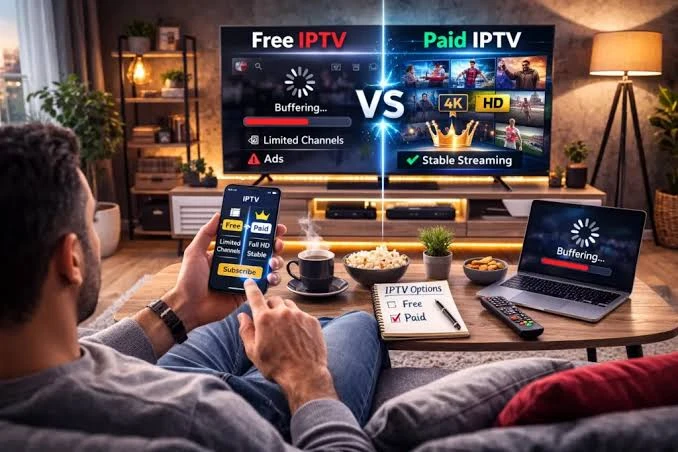
One of the first questions people ask before using IPTV is simple:
"Is my internet fast enough?"
The answer depends on more than the number shown on your internet plan.
IPTV streaming quality depends on the resolution of the channel, the bitrate of the stream, the video codec being used, the stability of your connection, and how many other devices are using your network.
A stable connection is often more important than simply having a very high advertised download speed.
In this guide, we'll explain how much internet speed you should realistically expect to need for SD, HD, Full HD and 4K IPTV in 2026.
Internet speed requirements for IPTV streaming in 2026
Quick Answer: How Much Internet Speed Does IPTV Need?
As a practical starting point:
| IPTV Quality | Approx. Minimum | Recommended |
|---|---|---|
| SD 480p | 3–5 Mbps | 5 Mbps+ |
| HD 720p | 5–10 Mbps | 10 Mbps+ |
| Full HD 1080p | 10–15 Mbps | 15–25 Mbps+ |
| 4K Ultra HD | 25 Mbps | 35–50 Mbps+ |
These numbers are practical guidelines and estimates, not universal IPTV standards or hard rules.
A particular IPTV stream may require less or more bandwidth depending on its bitrate, codec and encoding settings.
For comparison, major streaming services like Netflix currently list around 5 Mbps for Full HD and 15 Mbps for 4K streaming. This demonstrates that streaming services can operate at lower speeds depending on compression, encoding and bitrate. However, IPTV streams are often broadcast live and may not have the same level of pre-encoding compression, which is why IPTV bandwidth requirements are generally higher.
The important point is to leave some headroom rather than operating your connection at its limit.
What Actually Determines IPTV Internet Speed?
Several factors influence the amount of bandwidth your IPTV stream needs.
1. Video Resolution
Higher resolutions generally require more data.
A 480p SD stream requires significantly less bandwidth than a 1080p Full HD stream.
4K streams typically require substantially more bandwidth because they contain much more visual information.
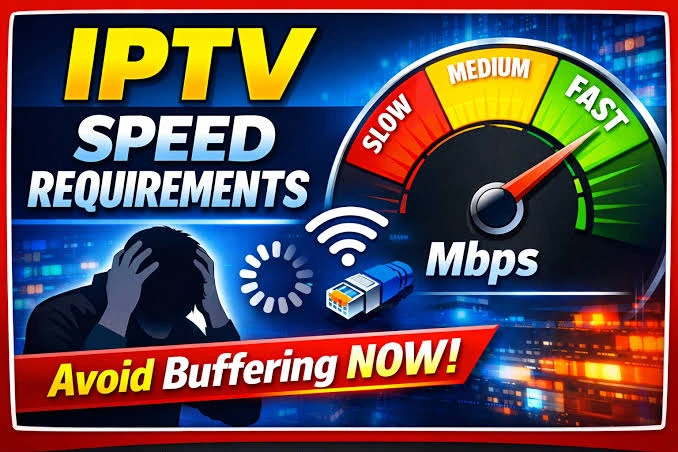 Internet speed comparison for SD HD Full HD and 4K IPTV
2. Video Bitrate
Bitrate can be more important than resolution alone.
Two 1080p streams can have completely different bandwidth requirements if one uses a low bitrate and the other uses a much higher bitrate.
This is why it is impossible to say that every IPTV 1080p stream requires exactly the same internet speed.
3. Video Codec
Modern codecs such as H.265/HEVC can deliver high-quality video more efficiently than older codecs in many situations.
However, the exact bandwidth still depends on how the stream was encoded.
4. Connection Stability
A connection that constantly fluctuates can cause buffering even when the advertised speed is high.
For IPTV, consistency matters.
A stable 25 Mbps connection may provide a better experience than a connection advertised at 100 Mbps that frequently drops or suffers from interference.
How Much Speed Do You Need for 4K IPTV?
4K IPTV deserves special attention.
Ultra HD streams can require significantly more bandwidth than HD or Full HD.
As a practical target, having around 35–50 Mbps of available bandwidth for a single 4K stream provides useful headroom for many setups.
However, this is not a universal requirement.
The actual stream bitrate can be much lower or higher depending on the provider and encoding.
You should also remember that your entire internet connection is not dedicated to IPTV.
Other devices may be using bandwidth at the same time.
For example:
- Smart TVs
- Phones
- Gaming consoles
- Computers
- Cloud backups
- Video calls
- Software updates
All of these can compete for bandwidth.
Is 25 Mbps Enough for IPTV?
For many HD and Full HD streaming situations, 25 Mbps can be a comfortable connection speed.
It may also be sufficient for some lower-bitrate 4K streams.
However, if you want consistent 4K playback while other people are actively using the network, having more available bandwidth gives you additional headroom.
The key is not simply the maximum speed advertised by your ISP.
Check the actual speed available on the streaming device.
Is 50 Mbps Enough for IPTV?
For a single IPTV stream, 50 Mbps is generally a strong starting point.
It provides substantial headroom for HD and Full HD streaming and can be suitable for many 4K streams.
But 50 Mbps does not guarantee that buffering will never happen.
If your Wi-Fi signal is weak, your router is overloaded, or the streaming source is experiencing problems, buffering can still occur.
What About 100 Mbps Internet?
A 100 Mbps connection is more than enough for many households using IPTV.
It can comfortably support:
- One or more HD streams
- Full HD streaming
- Many 4K scenarios
- Normal browsing
- Gaming
- Social media
- Video calls
However, the available bandwidth is shared between all connected devices.
If several people are simultaneously streaming 4K video, downloading large files and gaming, your available IPTV bandwidth can be much lower than the headline 100 Mbps figure.
How Many IPTV Streams Can You Run at Once?
The answer depends on the quality of each stream.
As a simple example, imagine your household has:
- 1 Full HD IPTV stream
- 1 HD stream
- 1 additional streaming service
- several phones browsing the internet
Your connection needs to handle all of those activities simultaneously.
A useful rule is to estimate the bandwidth required by each stream and leave additional headroom for other network activity.
Do not simply multiply a theoretical minimum and assume the result is guaranteed.
Real-world performance varies.
 Internet bandwidth needed for multiple IPTV devices
Does Wi-Fi Affect IPTV Speed?
Absolutely.
Your internet plan might provide 100 Mbps to the router, but your Smart TV may receive much less over Wi-Fi depending on:
- Distance from the router
- Walls
- Interference
- Router quality
- Wi-Fi standard
- Network congestion
- Other connected devices
This is why two devices in the same home can have completely different streaming experiences.
Is Ethernet Better for IPTV?
If Ethernet is available, it is often the best way to test whether Wi-Fi is contributing to buffering.
A wired connection generally provides more consistent connectivity and avoids many wireless interference problems.
Connect your Smart TV, Android TV box or streaming device directly to the router when practical.
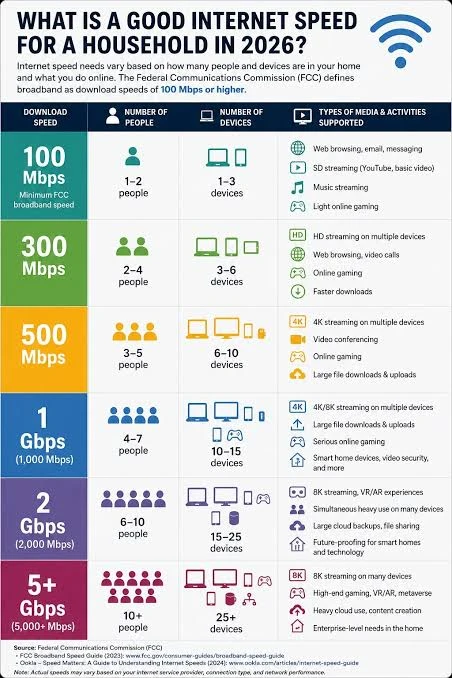 Wi-Fi and Ethernet connection stability for IPTV streaming
If buffering disappears after switching from Wi-Fi to Ethernet, you have strong evidence that your wireless network was part of the problem.
Does Internet Speed Affect IPTV Buffering?
Yes, but speed is only one possible cause.
Buffering can also come from:
- Weak Wi-Fi
- Network congestion
- Router problems
- Device limitations
- Application problems
- Incorrect playback settings
- High stream bitrate
- Server-side problems
This is why simply upgrading from 100 Mbps to 500 Mbps does not necessarily fix every buffering problem.
If you are experiencing buffering, see our comprehensive guide on how to fix IPTV buffering on Smart TV, Firestick and Android TV.
How to Test Your IPTV Internet Speed
The best approach is to test the connection on the device you actually use for IPTV.
For example:
- Open a speed-testing tool on your Smart TV or streaming device if available.
- Run several tests at different times.
- Compare the results.
- Test when IPTV is working normally.
- Test again when buffering occurs.
Also test the connection close to your router.
If the router gets excellent results but the TV gets significantly lower results, the issue may be Wi-Fi rather than your internet plan.
Why Does IPTV Buffer Even With Fast Internet?
This is one of the most common misunderstandings.
Imagine you have a 500 Mbps connection.
Your IPTV stream only needs a fraction of that bandwidth.
If the stream still buffers, the problem may be:
- unstable Wi-Fi
- packet loss
- high latency
- router issues
- device performance
- application problems
- overloaded streaming server
Fast internet does not automatically mean a stable connection. For other troubleshooting steps, you can also check our article on improving IPTV streaming quality on any device.
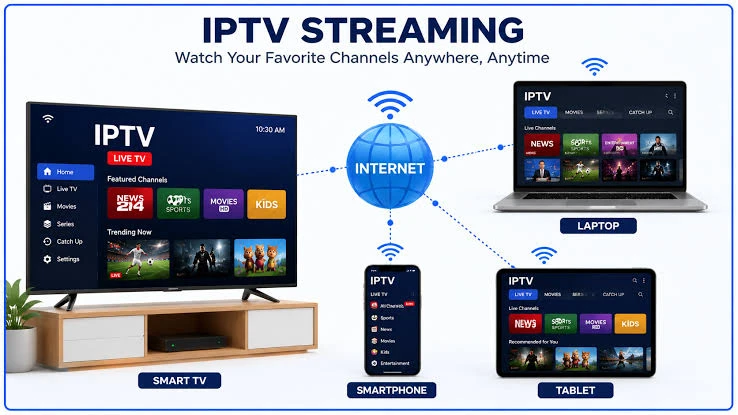 Stable internet connection for 4K IPTV streaming
What Internet Speed Is Best for a Family?
For a household with multiple users, choosing a higher-speed plan can provide useful headroom.
A practical example:
Small household
50–100 Mbps can be sufficient for IPTV plus normal browsing and streaming.
Medium household
100–300 Mbps provides more comfortable headroom for multiple simultaneous activities.
Heavy household
300 Mbps or more can be useful when several people simultaneously stream, game, download large files or use cloud services.
These are general household guidelines rather than IPTV-specific requirements.
Does Ping Matter for IPTV?
Download speed gets most of the attention, but latency and connection stability also matter.
Low latency can help live streaming feel more responsive, particularly for live sports.
However, IPTV buffering is not caused by high ping alone.
Packet loss, unstable Wi-Fi and insufficient available bandwidth can be more important.
What Should You Do If Your IPTV Keeps Buffering?
Start with the simplest checks.
Step 1
Test your internet speed on the IPTV device.
Step 2
Restart your router and streaming device.
Step 3
Move closer to the router or test Ethernet.
Step 4
Check whether other devices are consuming large amounts of bandwidth.
Step 5
Test another IPTV channel.
Step 6
Try another compatible IPTV player if necessary. If you run into audio delay issues, read how to resolve them in our guide on IPTV audio out of sync.
Step 7
Check whether the issue affects multiple devices.
If only one channel buffers while everything else works, the problem may be specific to that stream.
If every channel buffers on every device, investigate your network or service.
FAQ
What internet speed do I need for IPTV?
As a practical guideline, 5–10 Mbps can be enough for HD, around 15–25 Mbps is a comfortable target for Full HD, and 35–50 Mbps or more gives useful headroom for many 4K situations.
Is 10 Mbps enough for IPTV?
10 Mbps can be enough for some HD streams and lighter streaming workloads. It may be less comfortable for high-bitrate Full HD or 4K content.
Is 25 Mbps enough for 4K IPTV?
It can be enough for some 4K streams, depending on their bitrate and encoding. For more consistent headroom, a faster connection is preferable.
Is 50 Mbps enough for IPTV?
50 Mbps is a strong connection for a single stream and can provide good headroom for many 4K situations, provided the connection is stable.
Does IPTV need 100 Mbps?
No. IPTV does not universally require 100 Mbps. Many streams use much less bandwidth. A 100 Mbps connection simply provides additional headroom for multiple devices and other household activities.
Can IPTV work with Wi-Fi?
Yes. IPTV can work perfectly well over Wi-Fi when the wireless connection is strong and stable. Ethernet is useful when Wi-Fi interference or weak signal strength causes problems. For instructions on setting up your streaming device, read our Smart TV IPTV setup guide.
Why does IPTV buffer with 500 Mbps internet?
A high-speed plan does not eliminate problems such as weak Wi-Fi, packet loss, router issues, device limitations or problems with the individual stream.
Conclusion
You do not need gigabit internet simply because you want to watch IPTV.
For many users, a stable 25 Mbps connection is enough for HD and Full HD streaming, while 35–50 Mbps or more provides useful headroom for many 4K setups.
But the number displayed on your internet plan is only part of the equation.
A stable connection, good Wi-Fi coverage, suitable hardware and a properly configured IPTV player can be just as important as raw download speed. Have more general questions? Check out our FAQ section.
If you want to improve your IPTV experience, start by testing the actual connection on your streaming device and identifying where the bottleneck occurs. When you are ready to experience premium, buffer-free channels, explore our subscription Pricing.